A roster that makes sense.
Import Name and optional Group columns from a spreadsheet. Add local photos or a shared school badge when you need them.
 Open classroom ↗
TWO WAYS TO BRING EVERYONE IN
Two free tools. Pick the one you need today.
Run lesson questions, review rounds, or a quick roll call.
Fictional sample names · Ready to pick
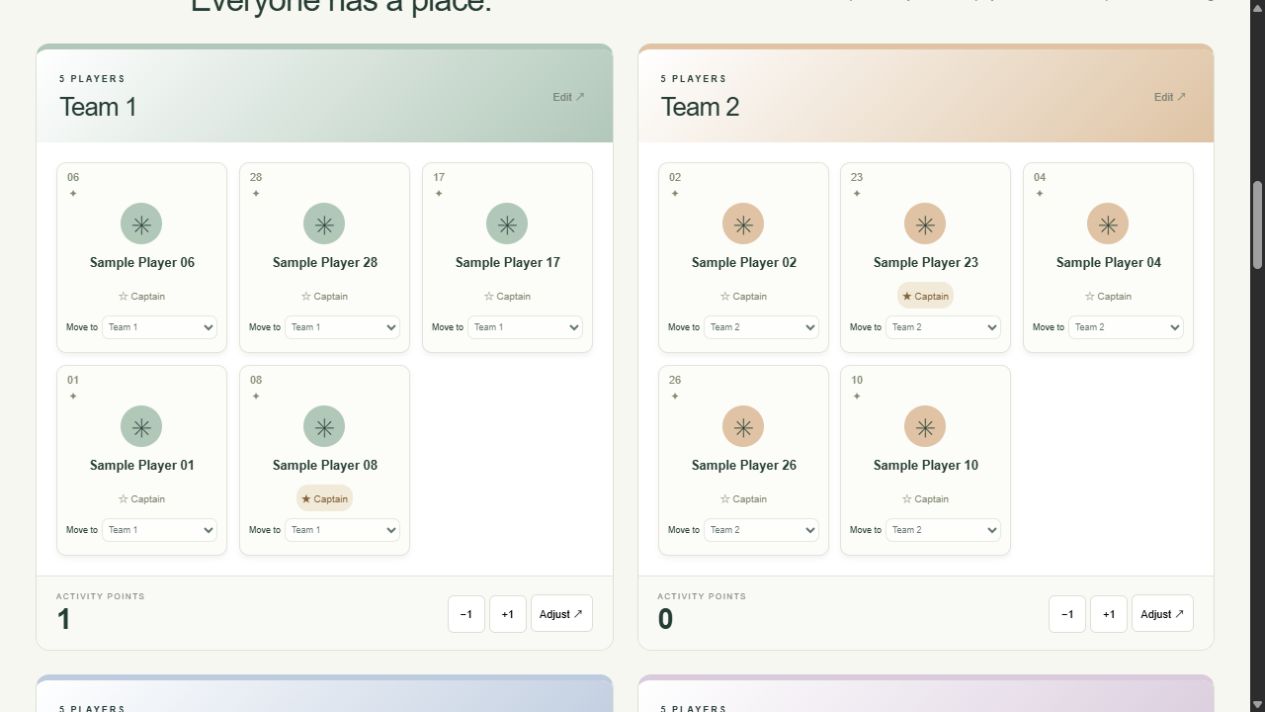
Organize a sports day, relay challenge, or class team game.
Free to use · No student accounts · Browser-local records · TV, iPad & mobile layouts
BUILT AROUND THE LESSON
Some lessons need equal odds. Others need a turn for everyone, or priority for students selected less often. Calling You makes those rules explicit, keeps fixed groups organized, and gives each classroom moment a place in your records.
Import Name and optional Group columns from a spreadsheet. Add local photos or a shared school badge when you need them.
Choose whole-class or fixed-group scope, run a countdown of at least ten seconds, and optionally announce the selected name.
Orange activity cards show unsaved responses. Record attendance or several answers, then review student summaries.
BEYOND THE BUTTONS
Original lesson designs, a complete station rotation, and a small fairness lab. Each piece names its assumptions, shows the working, and includes something you can take into the room.
A review lesson needs more evidence than thirty spins. This worked plan uses private thinking, pair rehearsal, six short reports, and a check for the voices your record may have missed.
Read the worked plan ↗A FIELD-DAY PLAYBOOKA small field day is a movement problem before it is a scoring problem. Here is a complete three-round rotation, a scoring convention, and a correction routine for thirty hypothetical participants.
Read the worked plan ↗A SMALL FAIRNESS LABEqual probability, complete turn coverage, and evidence of understanding are different goals. A small calculation and a classroom decision map make the differences visible.
Try the fairness lab ↗FROM SETUP TO EVERYDAY USE
A teacher’s walkthrough for roster snapshots, team cards, station points, match results, fixtures, five-second hand duels, sound, and backups.
Follow the outdoor walkthrough ↗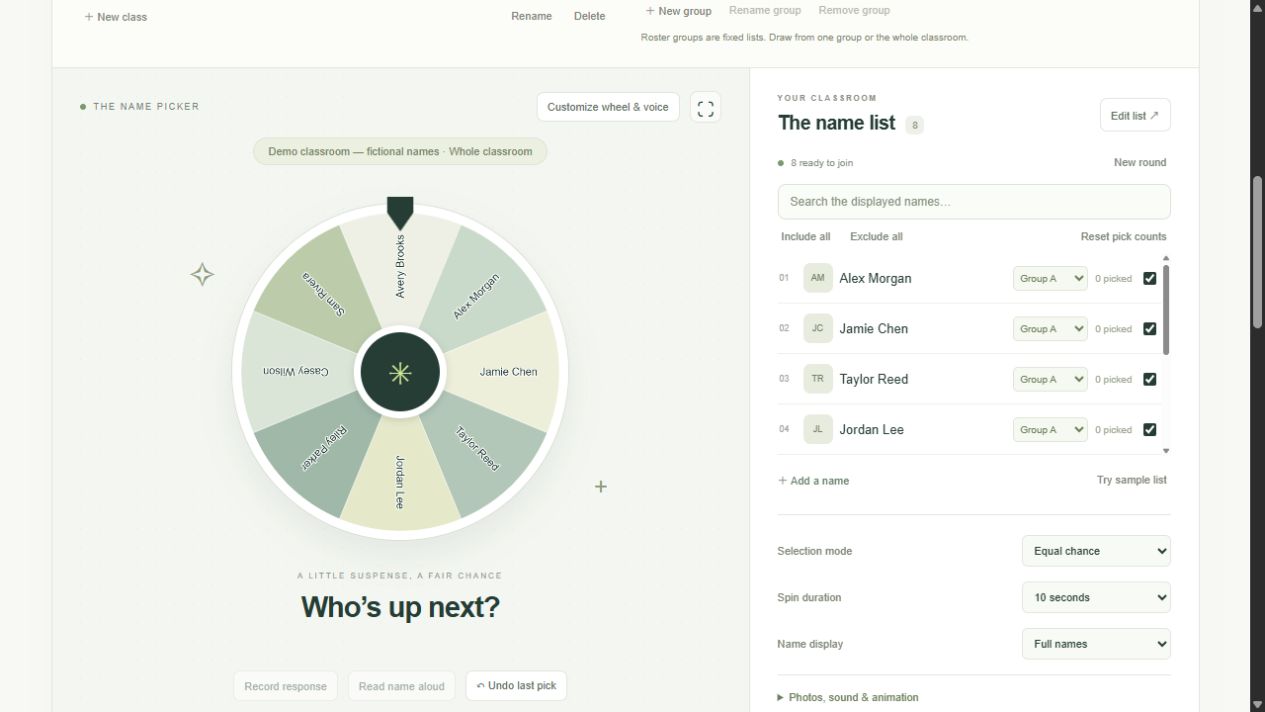
Set up one small, reliable roster before bringing the wheel into a live lesson. This walkthrough uses eight fictional names and two fixed groups.
Read the walkthrough ↗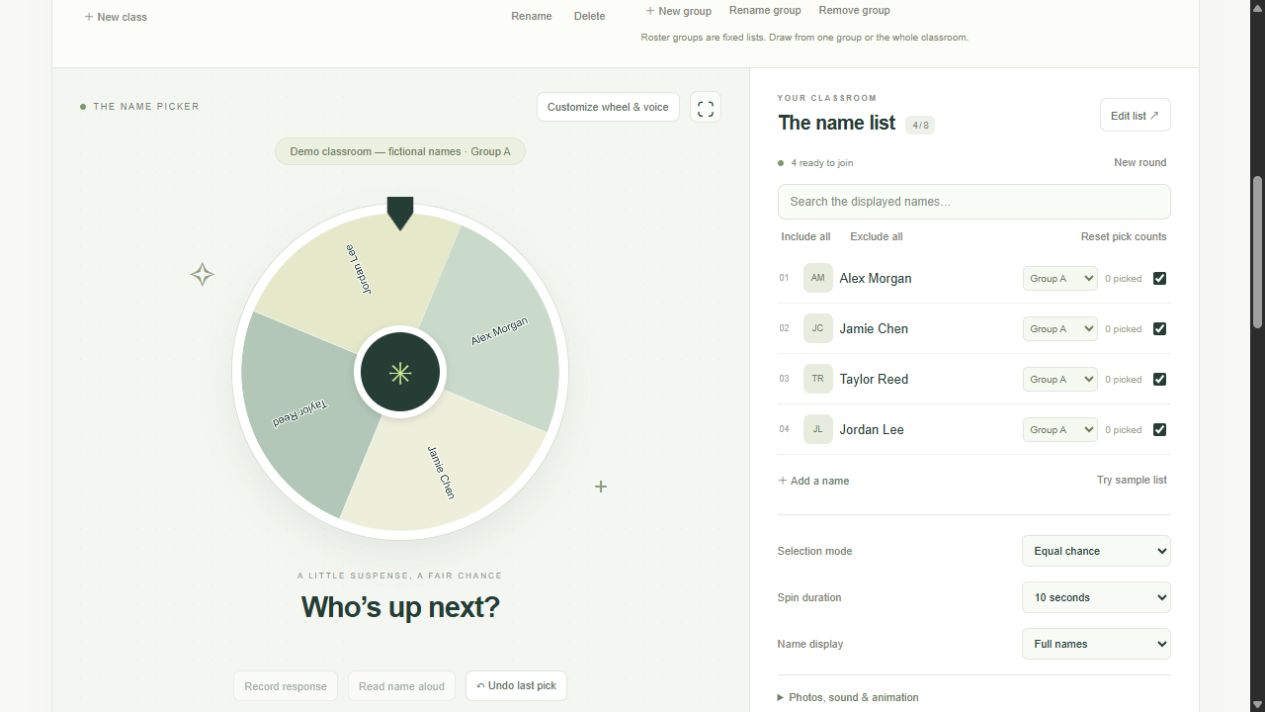
Equal chance, no-repeat rounds, and least-picked priority solve different classroom problems. Match the selection rule to the lesson rather than expecting one rule to do everything.
Read the walkthrough ↗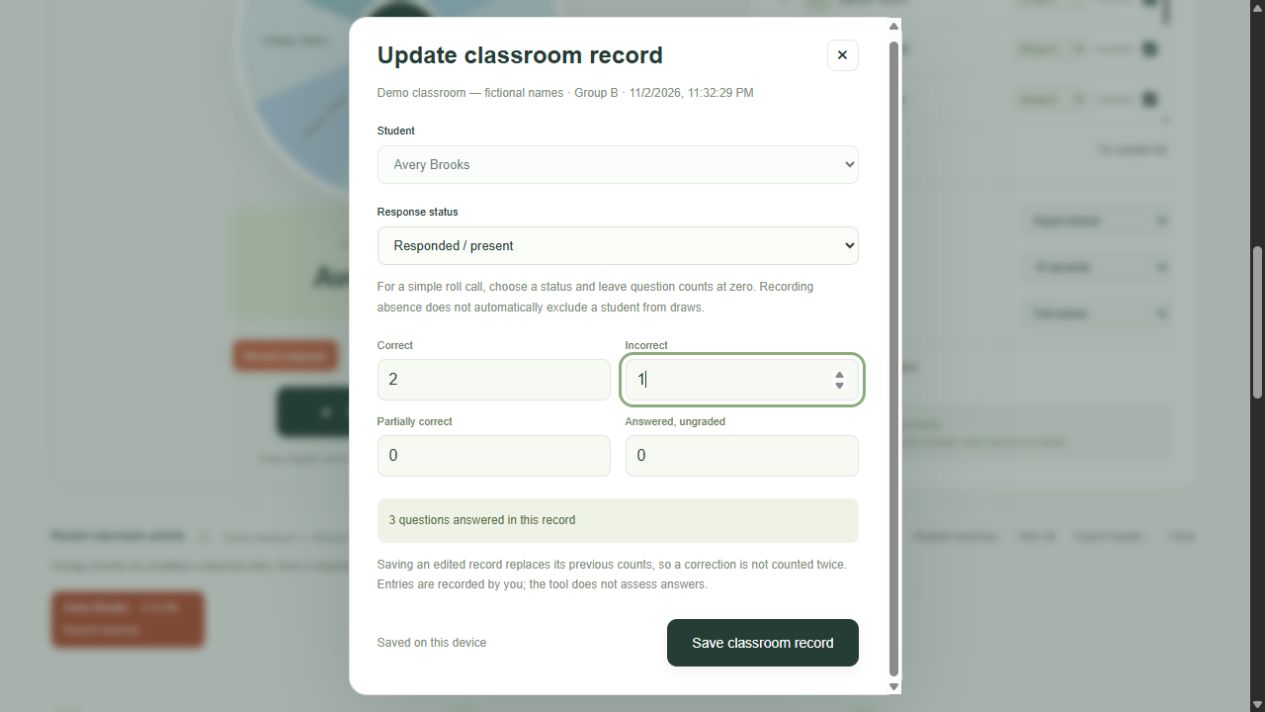
Turn an orange pending record into a useful classroom note: who responded, how many questions they answered, and which answers were correct, incorrect, partial, or ungraded.
Read the walkthrough ↗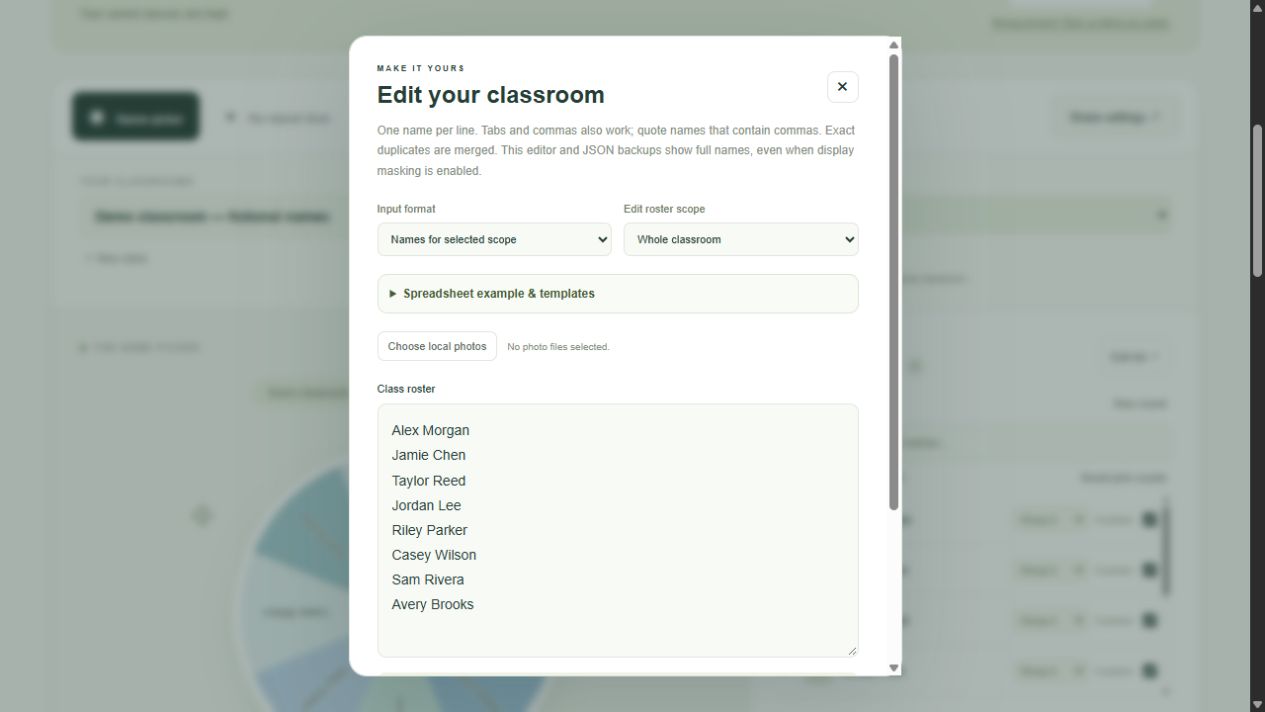
Use a school badge or student thumbnails without external image links, then make a full backup before switching a device, browser profile, or domain.
Read the walkthrough ↗
YOUR CLASSROOM. YOUR DEVICE.
The classroom application processes rosters, photos, and teacher-entered results in your browser. These public guides run separately from your saved classroom workspace.
Local storage still needs a backup. A JSON export is the way to move between devices, browser profiles, or domains.
Learn how to back up safely ↗HELP & FAQ
Explore detailed answers about imports, groups, selection rules, responses, photos, backups, wheel customization, and voice announcements.
Explore Help & FAQ ↗