
PRACTICAL GUIDE 02
Choose the right kind of random for classroom participation
Equal chance, no-repeat rounds, and least-picked priority solve different classroom problems. Match the selection rule to the lesson rather than expecting one rule to do everything.
01 Decide what a fair turn means for this activity
For a quick discussion prompt, you may want every included student to have the same chance on every draw. For a review round, you may want everyone to appear once before anyone appears again. For a longer course, you may want students with fewer previous selections to receive priority. These are different definitions of a fair turn.
Tell the class which rule you are using. A visible wheel can make a routine easier to follow, but it does not explain the policy by itself. Set expectations about passing, thinking time, and absence before drawing. Participation counts record selections; they are not a measure of effort, learning, or the quality of an answer.
02 Use Equal chance when each draw should stand alone
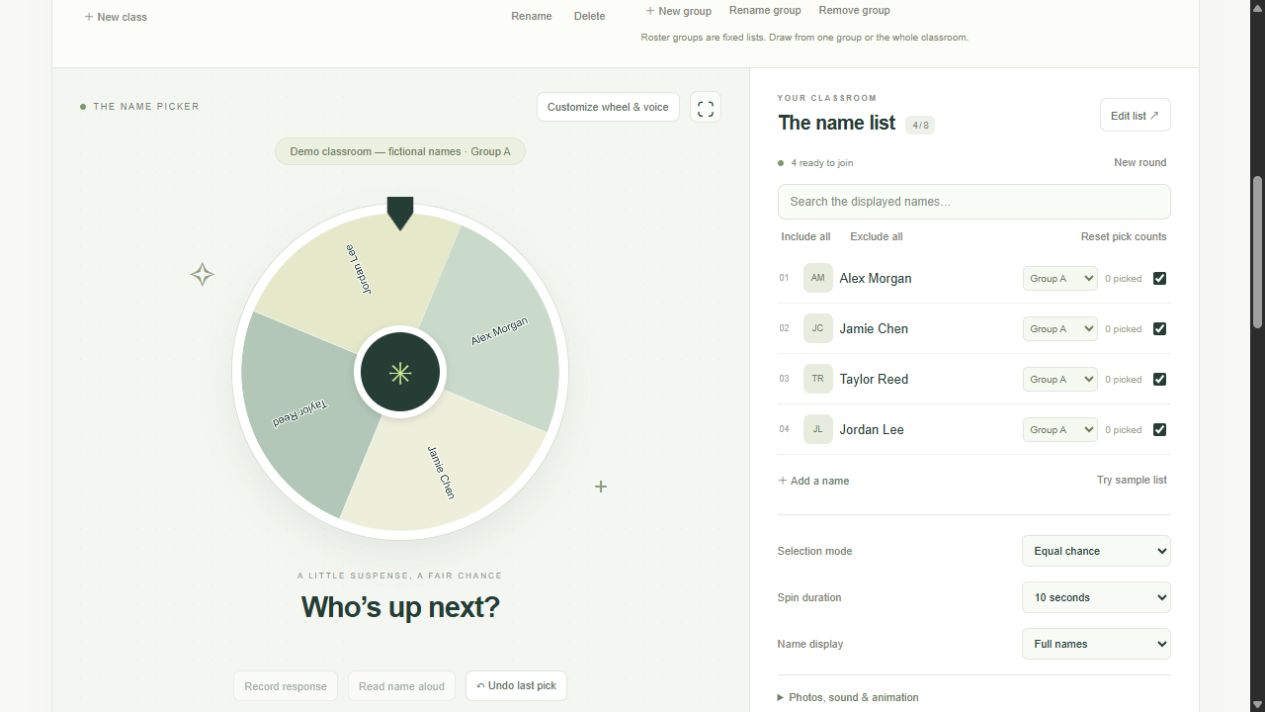
In Name picker with Equal chance, every eligible person in the selected scope has the same chance. With four eligible people in Group A, each has a one-in-four chance on that draw. The next draw starts with the same rule, so the same person can appear again. A repeat does not by itself show that the tool is broken.
Calling You uses the browser’s cryptographic random source with rejection sampling for integer selection. The winner is selected before the animation finishes. Wheel colors, background images, center badges, voice preference, and the ten-second minimum do not change the eligible pool or selection rule. This is a classroom tool, not a certified lottery or independently audited prize system.
03 Use a no-repeat round for complete coverage
Switch to No-repeat draw when you want each eligible person to be drawn once in a round. After someone is selected, they leave that round’s available pool. New round returns everyone to the pool while keeping participation counts and response records. It does not erase the history of the lesson.
The round belongs to the classroom, including when you switch scopes. A student drawn from Group A remains used when you switch to Whole classroom in the same round. This prevents a scope change from quietly giving them a second turn. Undo last pick reverses the latest pick and restores its round eligibility, pick count, and associated response totals.
04 Use least-picked priority to address selection imbalance
Least-picked first randomly chooses among currently eligible people with the lowest saved pick count. If Alex has zero picks, Jamie has one, and Taylor has three, Alex receives priority while eligible. If Alex and Jamie both have zero, the draw is random between them. It is not a weighted score based on correctness or response status.
Counts remain with a student when you move them between fixed groups. The selected scope and inclusion checkboxes still apply. An excluded student with a low count does not become eligible just because the mode prioritizes low counts. Reset pick counts starts those counters again, but keeps response totals, history, and the current round. Use it deliberately when starting a new measurement period.
05 Keep fixed groups separate from temporary teams
Fixed groups organize your roster into named teaching lists. Select one with Pick from to run a draw within it, or choose Whole classroom to use everyone who is included. Temporary teams are generated by Team maker for an activity. Creating teams does not automatically reorganize your fixed roster groups.
Before a live draw, check three things: the classroom title, the selected scope, and the ready-to-join count. If no name can be drawn, check exclusions and whether the no-repeat round is exhausted. For a group of four, seeing only three ready may be correct if one student is unchecked or already drawn. A quick count check prevents many apparent randomness problems.
After a lesson, read the student summary alongside your own classroom context. A student may have answered voluntarily without being selected, or may have been absent for several lessons. Use Log response for a voluntary contribution; it records the response without inflating random-pick counts. A participation tool should support teacher judgment rather than replace it.